












“I no longer have to worry about clinic-related tasks; there’s a system that handles everything for me.”
GB Dental Studio

See how each part of Medicasimple connects into one calmer clinic workflow that is practical, secure, and built to make the next step feel obvious.
Explore practical answers, clinic stories, product thinking, and team context before you take the next step.
Your dental practice, connected
Bring appointments, patient records and finances together in one place, then stay connected from your computer or phone.
User ratings on Google and the App Store
A day in your practice
Start with the diary, continue in the patient record and finish in the financial dashboard, with the details for each task where you need them.
Review today’s diary, appointment notes and outstanding tasks before the first patient arrives.
Explore schedulingReview treatment plans, clinical notes and documents in one patient record, with completed and planned treatment clearly shown.
Explore patient managementReview your practice’s income and expenses for the period you choose, and open detailed reports when you need them.
Explore financeCheck the diary, review patient records and follow treatment progress from your phone.
Explore the mobile appIn our customers’ own words
You’ve seen the product. Now hear from the dentists who use it every day.
GB Dental Studio Dr. Gökhan Bitmiş
“I no longer have to worry about clinic-related tasks; there’s a system that handles everything for me.”
GB Dental Studio


“It’s a program that truly lives up to the ‘simple’ in its name. It’s very straightforward and easy to learn.”
KLC Clinic


“Medicasimple has completely changed the way I keep track of things; remote monitoring was something I really wanted.”
Özkan Karabat Dental Studio


“You can open the app from home, on your phone, or tablet, and easily view and track patient payments and treatment plans.”
Ortoportlife Dental Clinic


“Now, we’re working on the cloud, and I can track my patient's status even from home.”
Dentomed
From dental to physio, dietetics to aesthetics. One platform, every specialty. Built for clinics that want less admin and more time with patients.
Customer reviews
Clinic experiences with everyday use, team support and working on mobile.
Swipe to browse the reviews
I use this app for my dental clinic and it's been very convenient and helpful. It keeps me organized, especially with appointments and patient records. Thank you for such a brilliant app!
It simplifies my daily clinic work and saves considerable time.
As both a practice owner and a clinician, this is a brilliant platform supported by an exceptionally dedicated team. It is practical, free from clutter, and every detail that makes work easier has been considered. I have never been left without an answer or a solution. Wholeheartedly recommended.
What would switching look like for you?
We review what your current system can export, agree which records to bring across and prepare a test account for your team to check before the final transfer.
We review a backup or export from your current system and confirm which records can move.
Your team checks sample patient, appointment and payment records. We resolve discrepancies together and ask for written approval.
After your approval, we plan the final backup, training and go-live around your practice’s working hours.
The records we can transfer depend on what your current system can export.


From switching to everyday use
Learning a new system is a team effort. We plan training around your practice’s workflow and continue answering questions once you’re up and running.
We agree the scope and schedule around your team and transition plan.
Reach us in the app or by email. Our team replies during support hours.
AI support is available 24/7. Questions that need a person are handled by our team during working hours.
Learn at your own pace
From adding a patient to setting up communication tools, follow practical guides your team can use when they need them.
You can find the "Add Patient" button on the page where patients are listed by clicking on the "Patients" menu on the left.
In this guide
Patient communication
Prepare your WhatsApp Business account, complete the connection, and manage templates and channel health in one workflow.
Messages & reminders
Set your Twilio sender header in Medicasimple, save an SMS template and send a test message.
Security & data
Explore our information security standards, access controls and backup measures.
Product updates
See how Medicasimple keeps developing: published releases, new features and improvements, with dates and details.
October 2026 brings organisation agreements, a Kanban view in the calendar, a new Payments and Invoices tab and draft invoices.
+3 more in the full update
+18 more in the full update
Latest from the blog
 Featured
Medicasimple has moved to Akatlar, one of Istanbul's most sought-after neighbourhoods. On 10 July, we celebrated with our customers, friends and team.
Read featured article
As biometric attendance methods such as fingerprints and facial recognition become harder to justify, clinics can track staff hours with a more proportionate mix of Wi-Fi, IP, device and user-based controls.
Read article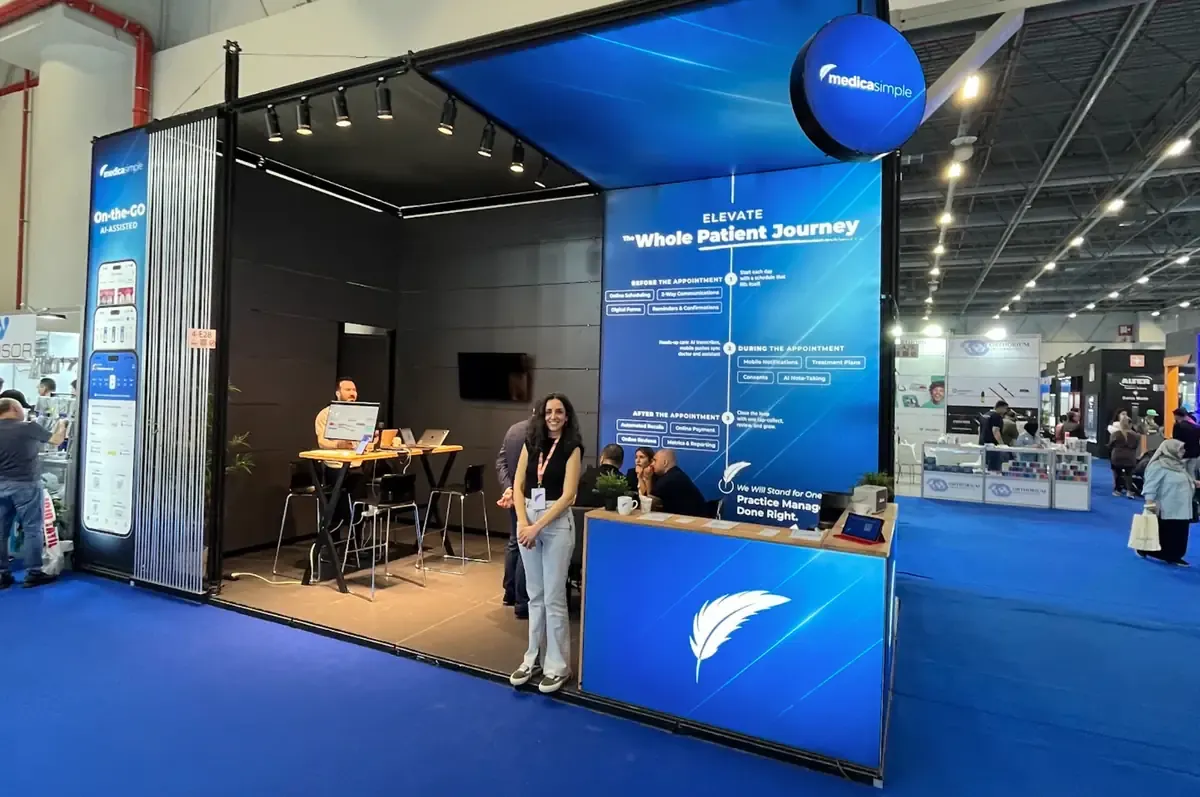
At IDEX 2025, we showcased how Medicasimple simplifies daily clinic operations while connecting with dental professionals shaping the future of dentistry.
Read articleBefore you decide
What to know about switching, training, support and plans.
Explore all questions and answersStart by telling us about your practice. We can review your team’s needs and current workflow, then plan migration, training and the move to Medicasimple around your practice.
Talk to our teamThe records we can transfer depend on what your current system can export. Standard data conversion usually takes 2–5 days. Your team then checks and approves a test account before training and go-live are planned separately. The 2–5 days are not the total onboarding time.
Explore the migration stepsYes. We agree the scope and schedule around your practice, your team and your transition plan.
Meet the teamContact support in the app or by email. AI support is available 24/7. Our human support team works seven days a week and replies during support hours.
Contact us for supportYour clinician count, workflows and needs for automation, reporting or multiple locations help determine the right plan. Compare the plans and discuss your practice’s requirements with our team.
Compare plans and pricingOur security page explains access controls, backups and data management. You can discuss any practice-specific requirements with our team.
Explore security detailsNext, your practice
Tell us about your practice and what your team needs from scheduling, patient records and financial management.